

How Much Does Mobile App Development Cost in India? Ask three mobile app development companies for a quote on the …

Common Hardware and Software Problems Businesses Face and How to Solve Them
Technology problems rarely announce themselves in advance. One day a laptop runs fine, the next it won’t boot, freezes mid-task, or shows a cracked screen after an accidental drop. For businesses, these aren’t just annoyances, they’re direct hits to productivity and revenue. This guide covers the most common hardware and software problems businesses run into, and exactly how professional computer repair and services resolve them.Common Hardware Problems and How They’re Fixed
Hardware issues tend to be the most visible: a screen doesn’t turn on, a laptop won’t hold charge, or a machine overheats mid-task. Here’s what’s usually behind them.Cracked Laptop Screen: Causes and Repair Options
A cracked laptop screen is one of the most frequent hardware complaints, usually from drops, pressure damage, or accidental impact.- Common cause – Screens crack most often from drops, closing the lid on an object, or pressure while packed in a bag.
- What professional repair involves – Laptop screen repairs replace the damaged panel with a properly calibrated screen, restoring full display quality.
- What it doesn’t affect – A proper screen replacement doesn’t touch internal components, so the rest of the machine’s performance stays untouched.
- Where it applies beyond laptops – The same repair process applies to laptop monitor repair and computer monitor repair for desktop displays.
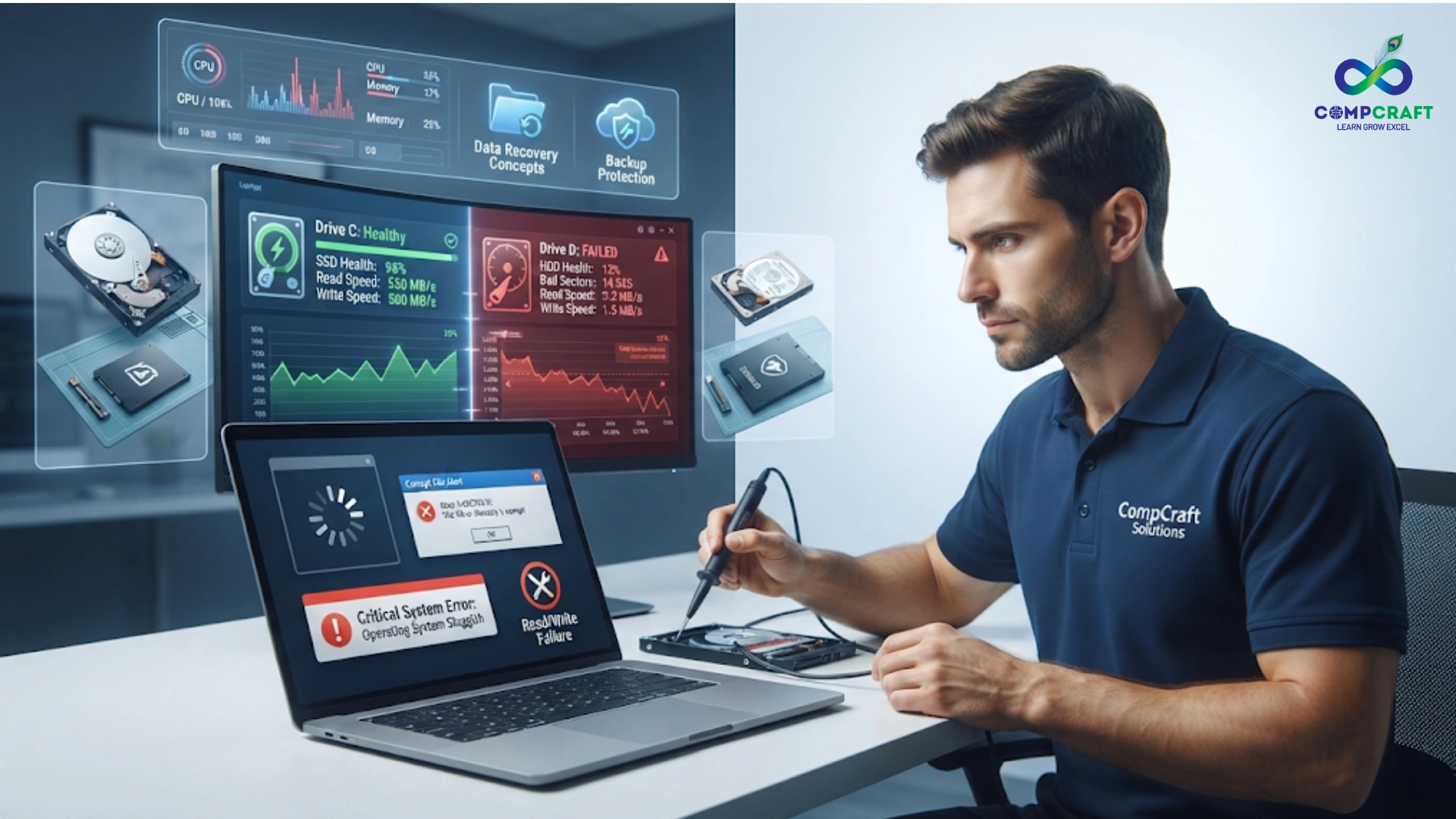
Laptop Overheating and Running Slow: What’s Actually Causing It
If a device is hot to the touch or fans run constantly, it usually points to one of a few underlying issues.- Dust buildup – Dust clogs internal vents and fans, trapping heat inside the device.
- Dried thermal paste – Over time, the paste connecting the processor to its heat sink dries out and stops conducting heat efficiently.
- A struggling processor – Continuous high CPU usage from background processes can cause sustained overheating.
- The fix – A proper CPU repair service includes cleaning, thermal paste replacement, and component testing to bring performance back to normal.
Laptop Battery Not Charging or Draining Fast: When to Replace It
Laptops that won’t hold charge or shut down unexpectedly often point to one core issue.- Natural battery wear – Batteries degrade gradually after a couple of years of daily use, holding less charge over time.
- Sudden shutdowns – A failing battery can cause a laptop to shut down abruptly even when the charge indicator shows remaining power.
- The fix – Battery replacement through a certified computer repair store restores mobility and reliability.
- Why replacement over full upgrade – Replacing just the battery is far cheaper than replacing the entire device for what is often a single failing component.

Monitor Flickering or Showing Dead Pixels: Repair or Replace?
Flickering screens, dead pixels, or discoloration point to a failing display, but the exact cause varies.- Panel issues – Physical damage or aging panels can cause dead pixels or discoloration.
- Cable issues – A loose or damaged display cable often causes flickering that looks like a panel problem but isn’t.
- Graphics output issues – Sometimes the fault lies with the graphics card or output settings rather than the monitor itself.
- The fix – PC monitor repair identifies which of these is the actual cause and resolves it accordingly, instead of jumping straight to a costly replacement.
Common Software and Data Problems and How They’re Fixed
Not every issue is physical – software conflicts, malware, and data loss are just as disruptive and often harder to diagnose without the right tools.Laptop Running Slow or Freezing: Signs Your Hard Drive Is Failing
A hard drive nearing failure often shows a specific set of warning signs.- Slow file access – Files and applications take noticeably longer to open than usual.
- Frequent freezing – The system locks up unexpectedly, especially when accessing or saving files.
- Unusual clicking noises – A physically failing hard drive often makes audible clicking sounds.
- The fix – Computer technicians can diagnose failing drives early and migrate data to a new SSD, improving speed and preventing data loss.

Computer Has a Virus: How Professional Malware Removal Differs from Antivirus Software
Unexpected pop-ups, slow performance, or unfamiliar background programs usually signal malware.- Detection gap – Generic antivirus software often misses more sophisticated or newly emerging threats.
- Full removal – Professional computer servicing includes full malware removal, not just quarantine of detected files.
- Security patching – Technicians apply security patches to close the vulnerabilities malware exploited in the first place.
- Reinfection prevention – This combination of removal and patching is what actually prevents the same issue from recurring.
Laptop Won’t Boot or Keeps Crashing: OS Repair vs. Reinstall
Frequent blue screens, failed updates, or an OS that won’t boot properly point to system file corruption.- What causes it – Corrupted system files, failed updates, or driver conflicts are the most common triggers.
- OS repair option – In many cases, a technician can repair the existing OS installation without wiping data.
- Clean reinstall option – For deeper corruption, a clean OS reinstallation restores stability, done correctly, without necessarily losing important business data.
- Why this needs an experienced technician – Distinguishing between a repairable issue and one that needs a full reinstall takes diagnostic experience most non-specialists don’t have.
Program Keeps Crashing or Won’t Open: Software Conflict Fixes
Programs that crash, freeze, or won’t launch often conflict with other installed software or outdated drivers.- Software conflicts – Two programs competing for the same system resources can cause repeated crashes.
- Outdated drivers – Drivers that haven’t been updated can become incompatible with newer software versions.
- Proper diagnostics – Support services IT professionals identify the exact conflict rather than guessing.
- Why trial-and-error fails – Reinstalling everything without diagnosing the root cause often just reintroduces the same conflict later.
Accidentally Deleted Files or Lost Data: Can It Be Recovered?
Losing critical files, whether from accidental deletion or a system crash, can be a serious setback without a backup in place.- Recovery tools – Reliable PC repair services include data recovery tools that can often restore lost files even after deletion.
- Success depends on timing – The sooner recovery is attempted after data loss, the higher the chance of full recovery.
- Automated backup setup – Beyond recovery, technicians can set up automated backups to prevent the same issue in the future.
- Why this matters for businesses Lost client data or financial records can have consequences well beyond the cost of the file itself.
Office Wi-Fi Keeps Dropping: Is It the Router or the ISP?
Slow or dropped internet connections often stem from more than just the ISP.- Outdated routers – Older router hardware struggles to keep up with modern network demands.
- Network congestion – Too many connected devices on one network can slow everything down.
- Misconfigured settings – Incorrect network settings can cause intermittent drops even with good hardware.
- The fix – A full network diagnostic as part of ongoing servicing identifies and resolves the actual bottleneck, rather than assuming it’s the ISP by default.
Should I Fix My Laptop Myself? Why DIY Repairs Often Make Things Worse
It’s tempting to troubleshoot hardware and software issues in-house, especially for small businesses trying to save on repair costs. But without proper diagnostic tools, DIY fixes often carry real risk.The Real Risks of DIY Repair
- Masking the real problem – A DIY fix can appear to work temporarily, only for the issue to return worse than before.
- Voided warranties – Opening up a device without authorization can void manufacturer warranties.
- Permanent data loss – Incorrect handling of a failing drive or corrupted OS can make recoverable data unrecoverable.
- Further hardware damage – Without proper tools, a DIY attempt can damage components that were otherwise fine.
How to Pick a Repair Partner Instead of Searching Mid-Crisis
When evaluating a provider for computer repair and services, a few criteria separate a reliable partner from a risky one.- Certified technicians with experience across brands – Broad brand experience means faster, more accurate diagnosis regardless of your hardware setup.
- Transparent, upfront pricing – Clear pricing avoids surprise charges once repairs are already underway.
- Fast turnaround for common issues – Look for quick resolution on frequent problems like screen repairs, not just complex ones.
- A physical repair store for hands-on diagnostics – Some issues genuinely need in-person inspection rather than remote troubleshooting.
- Genuine parts and warranty coverage – Ensures repairs last and aren’t undone by low-quality replacement parts.
Hardware and Software Repair in Charni Road, South Mumbai: CompCraft Solutions
CompCraft Solutions handles the full range of hardware and software issues covered above, from laptop computer repair and CPU repair service to virus removal, data recovery, and network troubleshooting. With certified computer technicians and transparent pricing, CompCraft Solutions helps businesses across Charni Road and South Mumbai fix problems properly the first time, instead of applying temporary patches.Final Thoughts
Hardware and software problems are inevitable for any business running on technology, but most of them are entirely fixable with the right expertise. Understanding these common issues, and knowing when to bring in professional computer repair and services instead of attempting a DIY fix, saves businesses time, money, and unnecessary downtime. Dealing with a hardware or software issue right now? Reach out to CompCraft Solutions for a free diagnosis and reliable computer repair and services in Charni Road, South Mumbai.
Android vs iOS vs React Native App Development: Which Should You Choose? Before a single screen gets designed, every mobile …

Why Every Business Needs a Fast, Mobile-Friendly Website Most businesses focus on how their website looks. Far fewer focus on …

Annual Maintenance Contract for IT: Benefits Businesses Actually Search For For most businesses, IT support only comes up when something’s …

Custom Website Development vs WordPress: Which Is Better for Your Business? One of the first decisions in building a website …

10 Signs Your Business Needs Professional IT Hardware & Software Support Most businesses don’t plan for IT problems, they react …
Computer Repair Shop Near Me: How to Choose the Right IT Hardware & Software Service Provider Every business eventually hits …
Laptop Repair Near Me: A Complete Guide to Hardware and Software Solutions for Businesses Every modern business runs on technology, …

